Installing the App
Ungambled installs as an app on your phone or desktop, so you are not coming back to it through a browser tab. Here is where the install prompt is, where to find it again under Account if you missed it, and what the desktop app looks like once it is running.
So you have purchased your first Ungambled product and you want to know what the app looks like after that. The first thing to point out is that you can install it on your phone or your desktop as an app.
The install banner
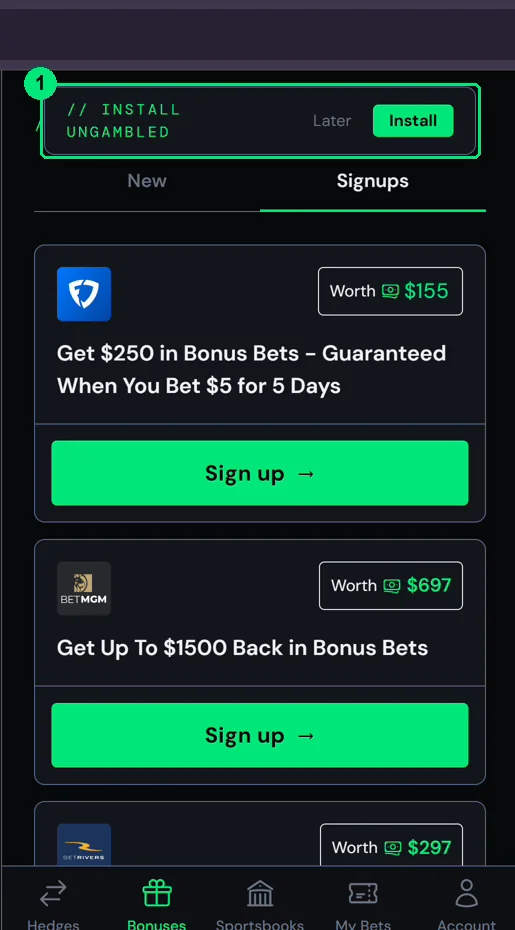
At the top of the app there is an Install Ungambled banner. Click Install.
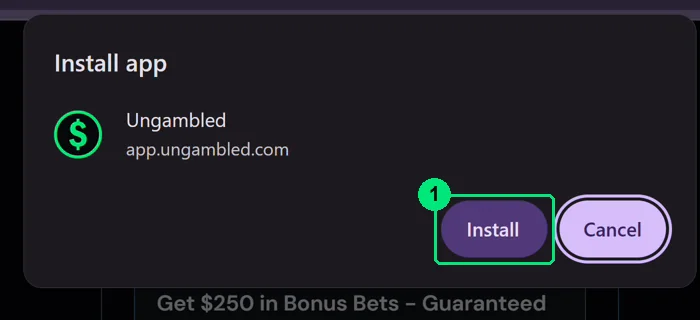
Your browser shows its own Install app prompt. Confirm it and the app installs on your phone or desktop.
If you missed the prompt
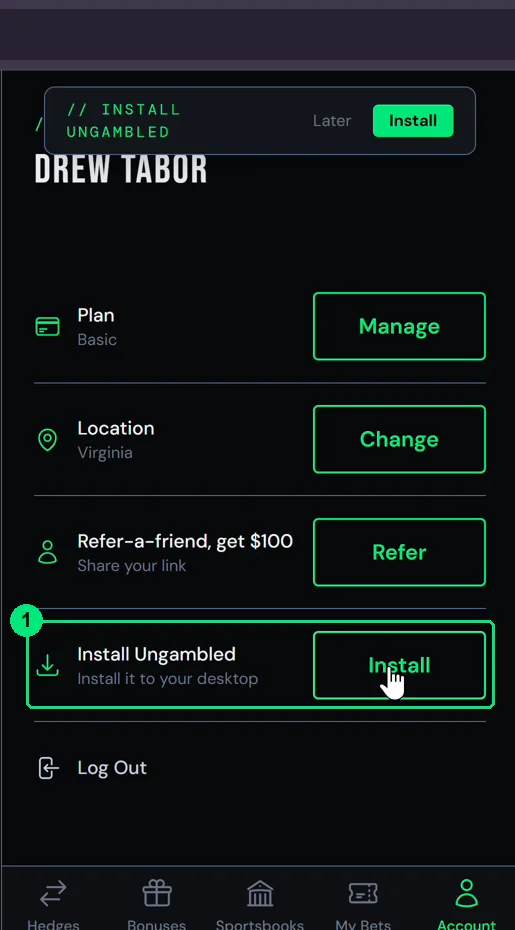
You can also get here any time by going to Account and clicking Install, right next to Install Ungambled.
On desktop
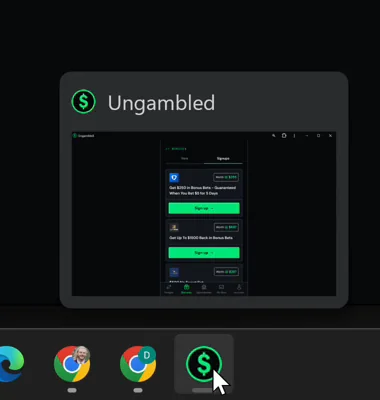
Just like that, you are running inside a desktop window, can do everything from there, and it shows up in your taskbar like any other program.
START WINNING NOW
Hedge your sports bets for guaranteed profit. No guessing. No gambling. Just math.
Start Winning Now →